Say it, it's set.
Plan your day, not around six apps
Tasks, calendar, habits, shifts, journal, shopping and a focus timer, in one app.
Made for ADHDPeriod trackingPOTS
Get started free Try it without signing up
Free to use, no card needed. On the web now. iPhone and Android are coming.
Made for ADHD, periods and POTS
For brains and bodies that don't run to a schedule
Most planners assume every day is the same. This one is built for the days your focus drifts, your cycle shifts or standing up is the hard part.
ADHD
- Say it the second you think of it, before it slips. It stays until it's done.
- Anything you didn't get to lands in Overdue, so nothing quietly falls off.
- A focus timer with rain or brown noise keeps you on one thing.
- Reminders at the time you set, and a morning briefing so the day isn't a surprise.
Period tracking
- Log a period day in a couple of taps.
- Your next period is predicted from the cycles you log.
- It shows the day of your cycle and roughly when the next one is due, so it never sneaks up on you.
POTS
- Log how the day went, your symptoms and your salt in seconds.
- In the phone app, a guided stand test times lying and standing and reads your heart rate from your watch.
- Pro shows what lines up, like rougher days before your period or better ones when you drink more water.
Your health log is private. It is never sold, never used for ads and never sent to AI.
Logging and the period prediction are free.
One app instead of six
Most days get planned across a to-do list, a calendar, a habit tracker, a focus timer, a shift spreadsheet and a journal. Here they're one list and one timeline.
Connect Google Calendar or Outlook, and your work meetings, your kid's footy game and the to-dos you typed at 11 pm sit together on Today. Tick something off on the bus and it's ticked on your laptop when you sit down.
Say it once. It reads it back.
Type it the way you'd tell a friend, or tap the mic and say it. The words it understood get underlined, and the button tells you what it's about to do before anything is saved. If it heard you wrong, one tap takes it back out.
Typing and dictating are free. The voice assistant, which also answers questions about your day, is part of Pro in the iPhone and Android apps.
It learns when you get things done
Every tick has a time on it. Once there are enough, a band in the margin of your day shows the hours you usually close things, like the one in the drawing up top. That's Rhythm.
The band is free. Pro breaks it down by weekday and category, and uses it to rank the times it suggests when you ask it to find a slot, so the hard things land in hours that work for you.
For when work isn't 9–5
Nurses, chefs, retail, anyone on a rotating roster. Save your usual shifts as templates, drop them onto the week and it adds up the hours.
Your to-dos sit on the same timeline as the roster, so you can see what fits before a night shift. Each shift can carry its location, one tap from your maps app on the way in.
Everything else it does
Planning
- Tasks and to-dos
- Type it and give it a time if it needs one. It guesses the category as you type, and repeats daily, weekly, monthly or on the days you pick.
- Reminders
- A notification at the time you set, no earlier and no later.
- Calendar sync
- Google Calendar and Outlook on the web, Apple Calendar in the phone apps, and .ics files from anywhere else. Free connects one account. Pro connects them all.
- Shared calendars
- Join one for free. Creating one is part of Pro.
- Class mode
- Mark a task as a class and your timetable repeats each week in the subject's colour.
Day to day
- Morning briefing
- A glance, not a meeting: what's on, the next event and anything left over from yesterday.
- Habits
- Water, steps, reading and meditation, with rings and streaks. Tap to log and move on. Pro lets you add your own.
- Focus timer
- Start it on a task. Rain, ocean, forest, white noise or brown noise if you want it, loud enough to drown out an open-plan office.
- Journal
- A line a day and a mood. It tags entries from what you wrote so you can look back at the week you slept badly.
- Body log
- Period days, POTS symptoms, a stand test and salt, with your next period predicted. Pro shows how they line up with sleep and mood.
- Life Score
- Tasks done, habits logged and focus time as one number for the day, with a weekly trend.
The practical bits
- Shift roster
- Templates for your usual shifts, the week's hours added up and the location a tap away.
- Shopping list
- Grouped by category so you're not zig-zagging the supermarket. Tick as you go.
- Places
- Pin a place to a task or a shift and open it in your maps app.
- Export
- CSV, iCal and a full JSON backup, free, whenever you want your data out.
- Dark mode
- Follows your system, or pick light or dark yourself.
Free to use. Pro if you want more.
Free
$0 to use
Everything you need to run your day.
- Tasks, calendar, habits, shifts, journal, shopping and a focus timer
- One calendar account: Google or Outlook, or Apple Calendar on iPhone
- Reminders and notifications
- The 4 core habits, 2 focus presets and weekly Wrapped
- A few planning helps a day: plan my day, break down a task, tidy up my week
- Export your data any time: CSV, iCal and a JSON backup
- Light and dark mode in the Gold palette
- No ads
Set it Now Pro
$15 AUD a year
About $1.25 a month. Renews each year until you cancel. Cancel any time and keep Pro until the year ends.
Everything in Free, plus:
- Email to task
- All your calendars
- Travel times
- More planning help
- Voice assistant
- Rhythm
- Body patterns
- Smarter quick add
- No limits on habits and presets
- Palettes and colours
- Looking back
- Printable PDF
Cancel any time · Secure checkout via Paddle · No ads, on any plan
There's a Windows app too
The same app in its own window, with a tray icon for quick access.
An hourglass, a week and you
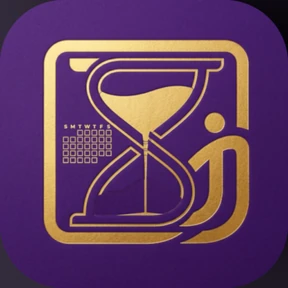
The mark holds the three things the app is for. The hourglass is time, the one thing you can't make more of. The seven-day grid is your week, laid out before it happens. The figure is you: the plan bends around your day, your roster and your habits, not the other way round.
That's the whole app.
Signing up takes about ten seconds, or try it first without an account. On the web now. iPhone and Android are coming.
Get in touch
Set it Now is made by one person, me. Questions, ideas and bug reports all land in my inbox, and I'll usually be the one replying.